
 Log in
 Start Free Trial
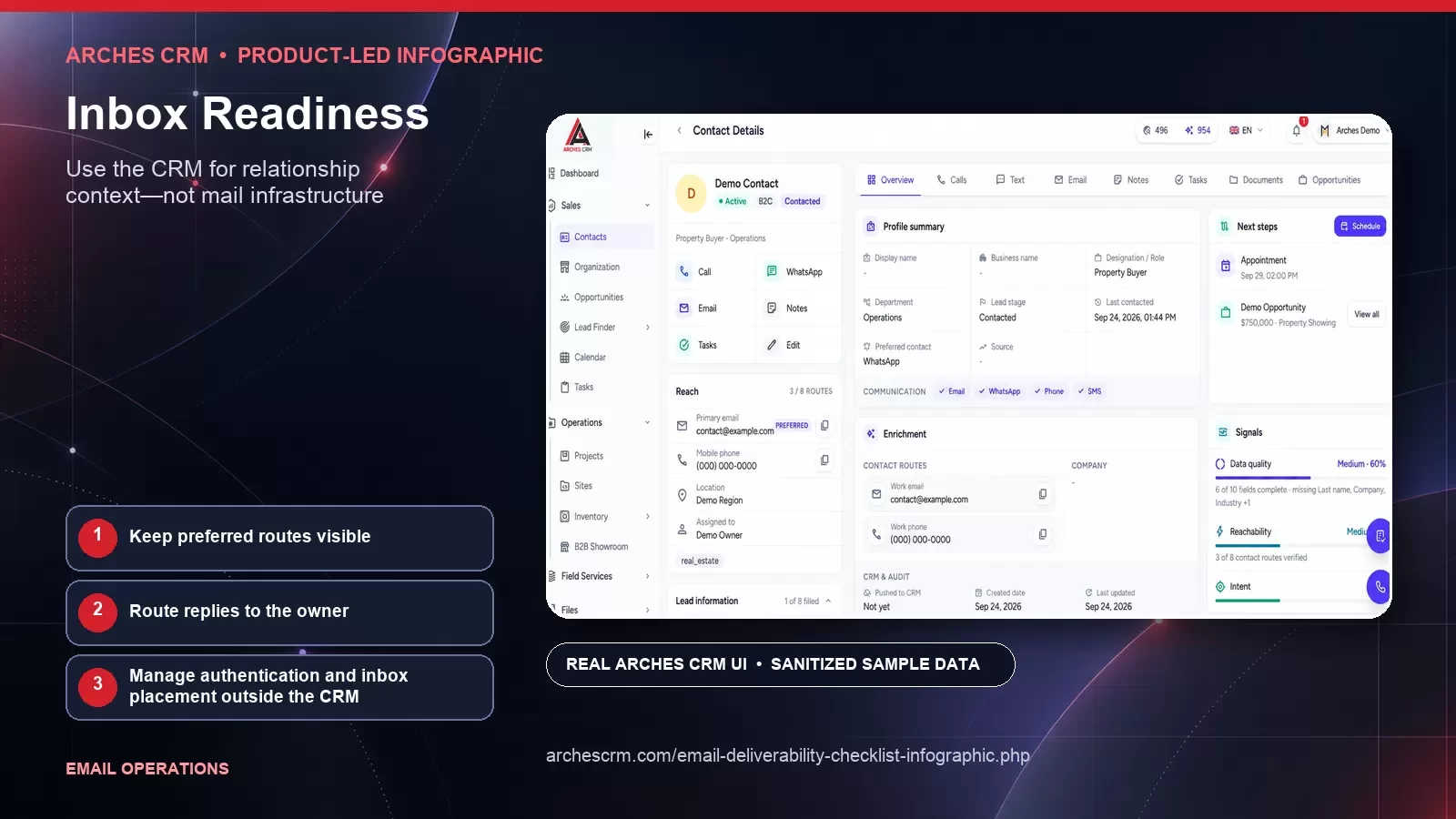
Use the CRM for relationship context—not mail infrastructure
Separate relationship context from mailbox infrastructure. These authentic Arches CRM application views use sanitized synthetic sample data and are specific to this workflow — not a repeated generic screenshot set.


Keep preferred routes visible
Route replies to the owner
Manage authentication and inbox placement outside the CRM
Why this framework matters
No checklist can guarantee inbox placement. Mailbox providers evaluate many signals, recipients make their own choices, and conditions change. Teams can still reduce avoidable risk by using permission-aware data, authenticating sending identity, keeping records current, sending relevant content, controlling volume, and responding to negative signals.
Scaling before the foundation is ready can damage sender reputation and recipient trust faster than a team can repair them. Deliverability is a shared operating responsibility across acquisition, CRM data, content, infrastructure, and sales—not a technical setting owned by one person after problems appear.
Inbox readiness combines sending standards, wanted mail, and disciplined monitoring
Swipe or scroll to view the full diagram.
Read the infographic transcript
- SPF: Maintain an accurate authorization record for systems allowed to send on behalf of the domain, following current mailbox and service-provider guidance.
- DKIM: Sign mail with managed keys and verify that the signature and domain alignment remain correct across every authorized sending service.
- DMARC: Publish and monitor a policy appropriate to the domain after SPF and DKIM are understood. Investigate reports and control changes deliberately.
- TLS: Use supported encrypted transport and monitor the actual sending infrastructure. Treat transport configuration as an infrastructure responsibility.
- Truthful identity: Make the sender, domain, relationship, and purpose recognizable. Do not use deceptive headers, display names, subjects, or reply paths.
- Wanted mail: Send to people who expect relevant messages under the relationship and rules that apply. Use traceable sources and current preferences.
- One-click unsubscribe: Implement the applicable list-unsubscribe mechanisms according to current provider and RFC guidance, and retain a clear visible unsubscribe path.
- Authoritative suppression: Propagate opt-outs, invalid destinations, complaints, and internal exclusions before the next send across every connected sending tool.
- Monitoring and recovery: Watch provider feedback, bounces, complaints, delivery changes, and configuration drift. Pause affected traffic, diagnose, correct, and restart carefully.
Work through the framework
SPF
Maintain an accurate authorization record for systems allowed to send on behalf of the domain, following current mailbox and service-provider guidance.
DKIM
Sign mail with managed keys and verify that the signature and domain alignment remain correct across every authorized sending service.
DMARC
Publish and monitor a policy appropriate to the domain after SPF and DKIM are understood. Investigate reports and control changes deliberately.
TLS
Use supported encrypted transport and monitor the actual sending infrastructure. Treat transport configuration as an infrastructure responsibility.
Truthful identity
Make the sender, domain, relationship, and purpose recognizable. Do not use deceptive headers, display names, subjects, or reply paths.
Wanted mail
Send to people who expect relevant messages under the relationship and rules that apply. Use traceable sources and current preferences.
One-click unsubscribe
Implement the applicable list-unsubscribe mechanisms according to current provider and RFC guidance, and retain a clear visible unsubscribe path.
Authoritative suppression
Propagate opt-outs, invalid destinations, complaints, and internal exclusions before the next send across every connected sending tool.
Monitoring and recovery
Watch provider feedback, bounces, complaints, delivery changes, and configuration drift. Pause affected traffic, diagnose, correct, and restart carefully.
How to apply it
Map every system that can send from the brand's domains and every source that can add a recipient. Assign owners, document authentication and suppression flow, and stop unknown senders or imports. Use current requirements from the relevant mailbox and email service providers. Arches CRM can hold relationship and follow-up context when configured for that purpose; it is not represented here as the sending infrastructure, domain-authentication service, or inbox-placement provider.
Create launch and incident checklists with explicit stop conditions. Test with controlled internal or consented recipients, verify links and preferences, and review the combined cadence across programs. When a problem occurs, protect recipients and reputation before trying to recover volume.
What to review in your own process
Use first-party evidence from your own workflow. Define each measure before collection, preserve unknowns, and review quality with the teams responsible for the handoff.
- Authorized sending sources with current ownership and configuration records
- Recipients entering programs through traceable, permitted sources
- Suppression and preference changes propagated before the next send
- Delivery incidents paused, diagnosed, corrected, and verified through a controlled restart
Common questions
Can an inbox placement checklist guarantee delivery?
No. Mailbox providers and recipients control delivery and placement, and their systems change. A checklist helps reduce preventable risk but cannot guarantee an inbox outcome.
What should be checked before scaling email volume?
Review permission, list origin, authentication, sender identity, suppression, message relevance, links, combined cadence, monitoring, ownership, and the incident response path. Use current provider documentation for technical requirements.
What should a team do when deliverability declines?
Pause or reduce the affected traffic, preserve evidence, identify whether the cause is data, permission, reputation, configuration, content, or cadence, correct it, and restart in a controlled way. Avoid making many untracked changes at once.
Primary references and review record
Editorial framework: This is an Arches CRM editorial framework. Its citations support related implementation, regulatory, measurement, privacy, accessibility, provider, or claim guidance; they do not independently validate the framework or prove a particular result.
- Google: Email sender guidelines (accessed 2026-09-27)
- Yahoo: Sender Best Practices (accessed 2026-09-27)
- RFC Editor: RFC 8058: Signaling One-Click Functionality for List Email Headers (accessed 2026-09-27)
- Federal Trade Commission: CAN-SPAM Act: A Compliance Guide for Business (accessed 2026-09-27)
Author: Arches CRM Editorial Team · Reviewer: Arches CRM Revenue Operations Review · Last reviewed: 2026-09-27
Continue exploring
Related Arches CRM whitepapers
Put the framework into a real CRM workflow
Use your own records, definitions, and review process to evaluate whether Arches CRM fits the way your team works.
Start your 7-day trial